
Here is a simple example of how to remove all links on a page and display Text instead
<html xmlns="http://www.w3.org/1999/xhtml">
<head>
    <title>Remove Links</title>
    <script type="text/javascript"
    src="http://ajax.microsoft.com/ajax/jQuery/jquery-1.4.2.min.js">
    </script>
    <script type="text/javascript">
        $(function() {
            $('#btnRemove').click(function() {
                $('a').contents().unwrap();
            });
        });
    </script>
</head>
<body>
    My Sites: <br /><br />
    <a href="http://www.dotnetcurry.com">DotNetCurry</a><br />
    <a href="http://www.devcurry.com">DevCurry</a><br />
    <a href="http://www.sqlservercurry.com">SQLServerCurry</a><br />
    <br />
    <input id="btnRemove" type="button" value="Remove Links" />
</body>
</html>
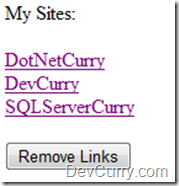
Before
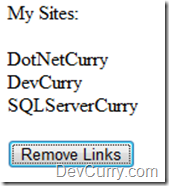
After clicking the Button
See a Live Demo
Tweet
About The Author


3 comments:
sounds good
Excelente tips, me ayudo mucho
v_omar
Awesome, just what I was looking for. Thanks!
Post a Comment